Attention: Here be dragons
This is the latest
(unstable) version of this documentation, which may document features
not available in or compatible with released stable versions of Godot.
Checking the stable version of the documentation...
Android Studio
Android Studio est un IDE gratuit pour le développement d'Android, fait par Google et JetBrains. Il est basé sur IntelliJ IDEA et dispose d'un éditeur riche en fonctionnalités qui supporte Java et C/C++. Il peut être utilisé pour travailler sur le moteur principal de Godot ainsi que sur la base de code de la plate-forme Android.
Importation du projet
From the Android Studio's welcome window select Open.
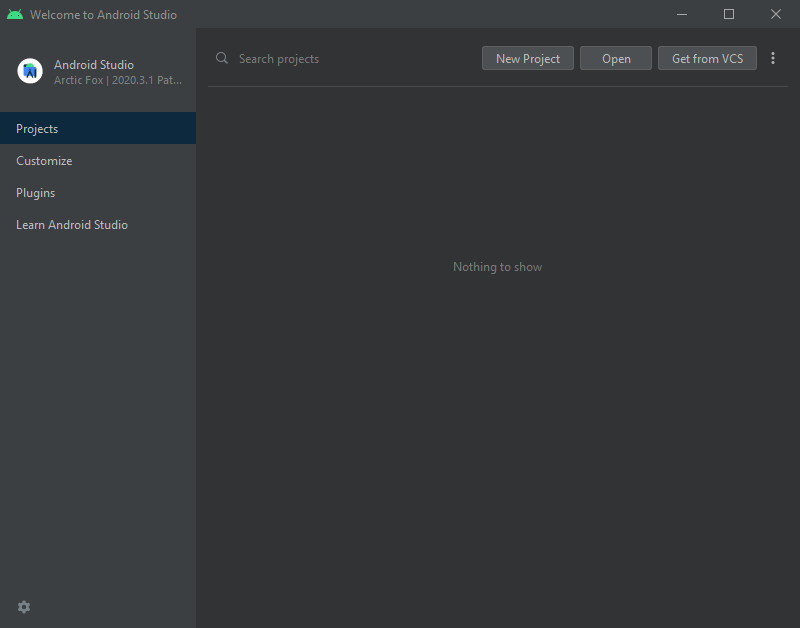
Fenêtre d'accueil d'Android Studio.
Naviguez jusqu'au
<Godot root directory>/platform/android/javaet sélectionnez le fichiersettings.gradle.Android Studio va importer et indexer le projet.
Android Studio project layout
Le projet est organisé à l'aide des modules d'Android Studio :
lib module:
Located under
<Godot root directory>/platform/android/java/lib, this is a library module that organizes the Godot java and native code and make it available as a reusable Android library.The generated Godot Android library is made available for other Android modules / projects via MavenCentral, along with its documentation.
editor module:
Located under
<Godot root directory>/platform/android/java/editor, this is an application module that holds the source code for the Android and XR ports of the Godot Editor.This module has a dependency on the lib module.
app module:
Located under
<Godot root directory>/platform/android/java/app, this is an application module that holds the source code for the Android build templates.This module has a dependency on the lib module.
Building & debugging the editor module
Pour compiler le module
editor:Select the Run/Debug Configurations drop down and select
editor.
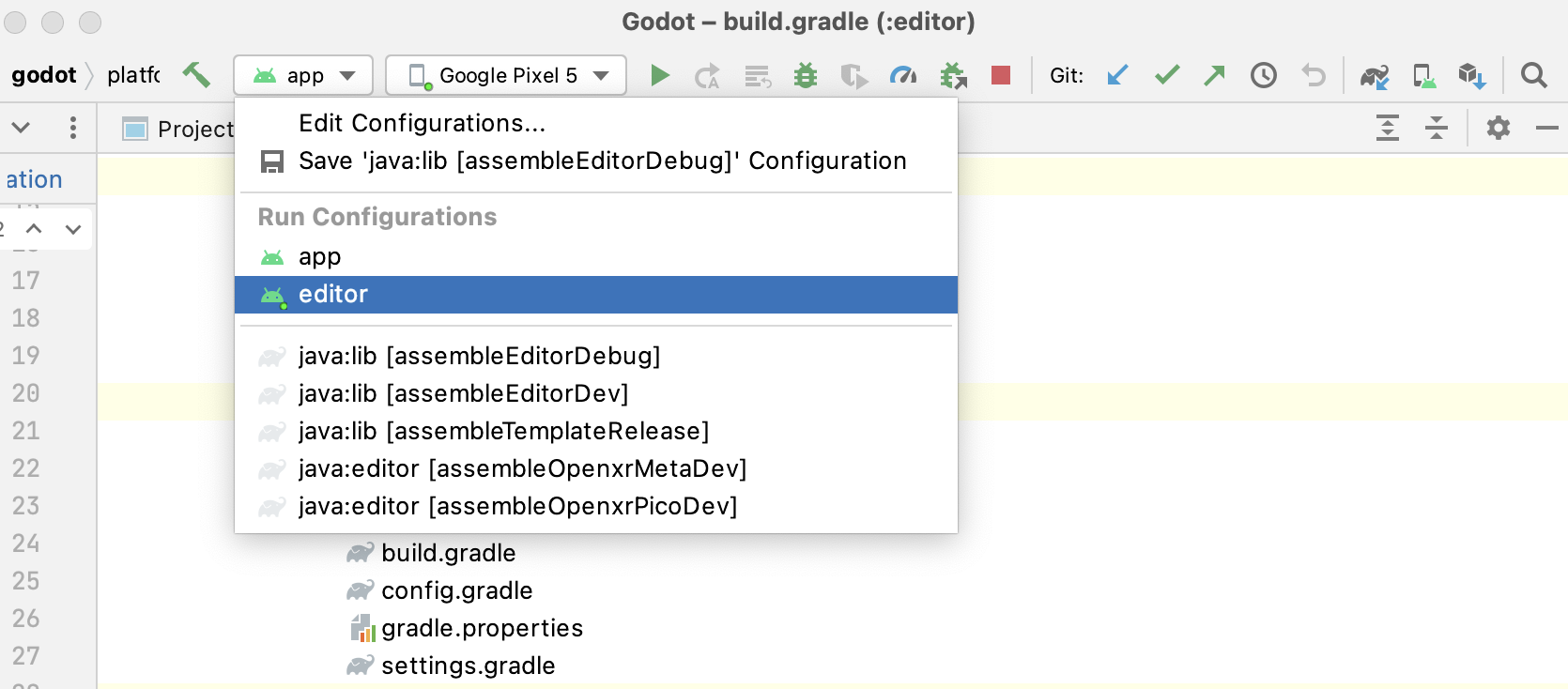
Select Run > Run 'editor' from the top menu or click the Run icon.
Pour déboguer le module
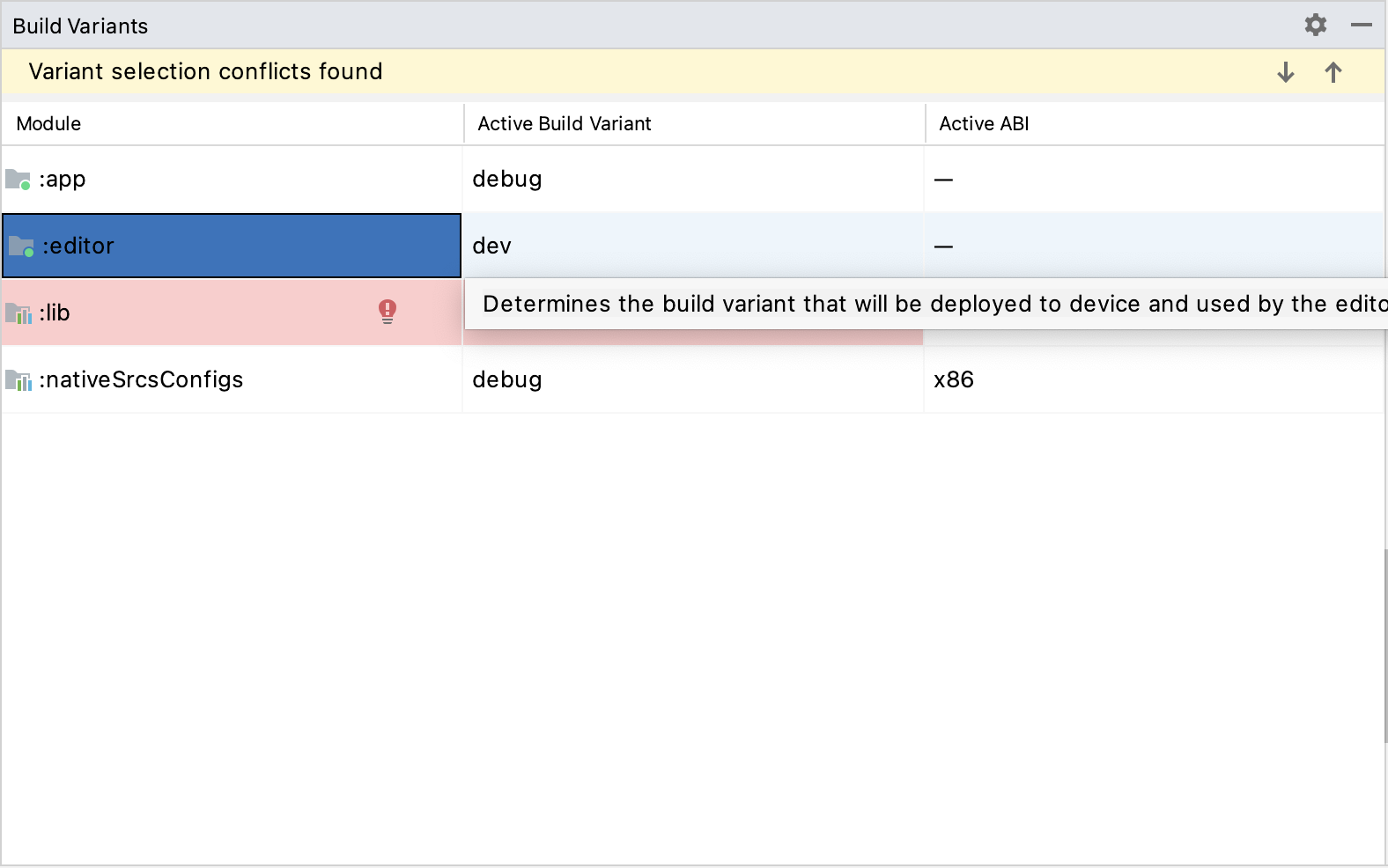
editor:Open the Build Variants window using View > Tools Windows > Build Variants from the top menu.
In the Build Variants window, make sure that in the Active Build Variant column, the
:editorentry is set to one of the Debug variants.
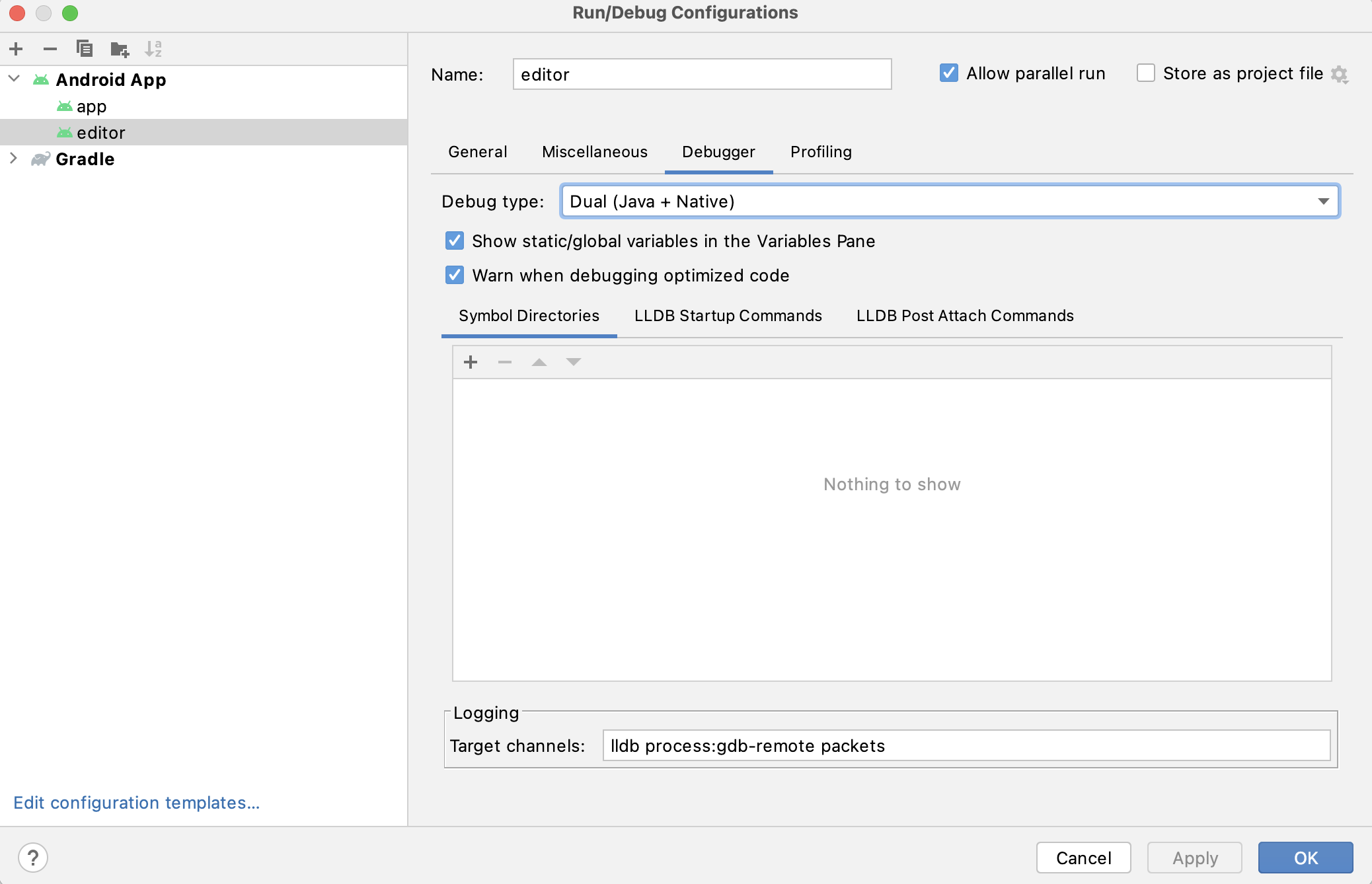
Open the Run/Debug Configurations window by clicking on Run > Edit Configurations... on the top menu.
In the Run/Debug Configurations window, select the
editorentry, and under Debugger make sure the Debug Type is set toDual (Java + Native)Click the
+sign under the Symbol Directories section, and add theplatform/android/java/lib/libs/tools/debugdirectory.
Select Run > Debug 'editor' from the top menu or click the Debug icon.
Building & debugging the app module
The app module requires the presence of a Godot project in its assets directory (<Godot root directory>/platform/android/java/app/src/main/assets) to run.
This is usually handled by the Godot Editor during the export process.
While developing in Android Studio, it's necessary to manually add a Godot project under that directory to replicate the export process.
Once that's done, you can follow the instructions below to run/debug the app module:
Pour compiler le module
app:Select the Run/Debug Configurations drop down and select
app.
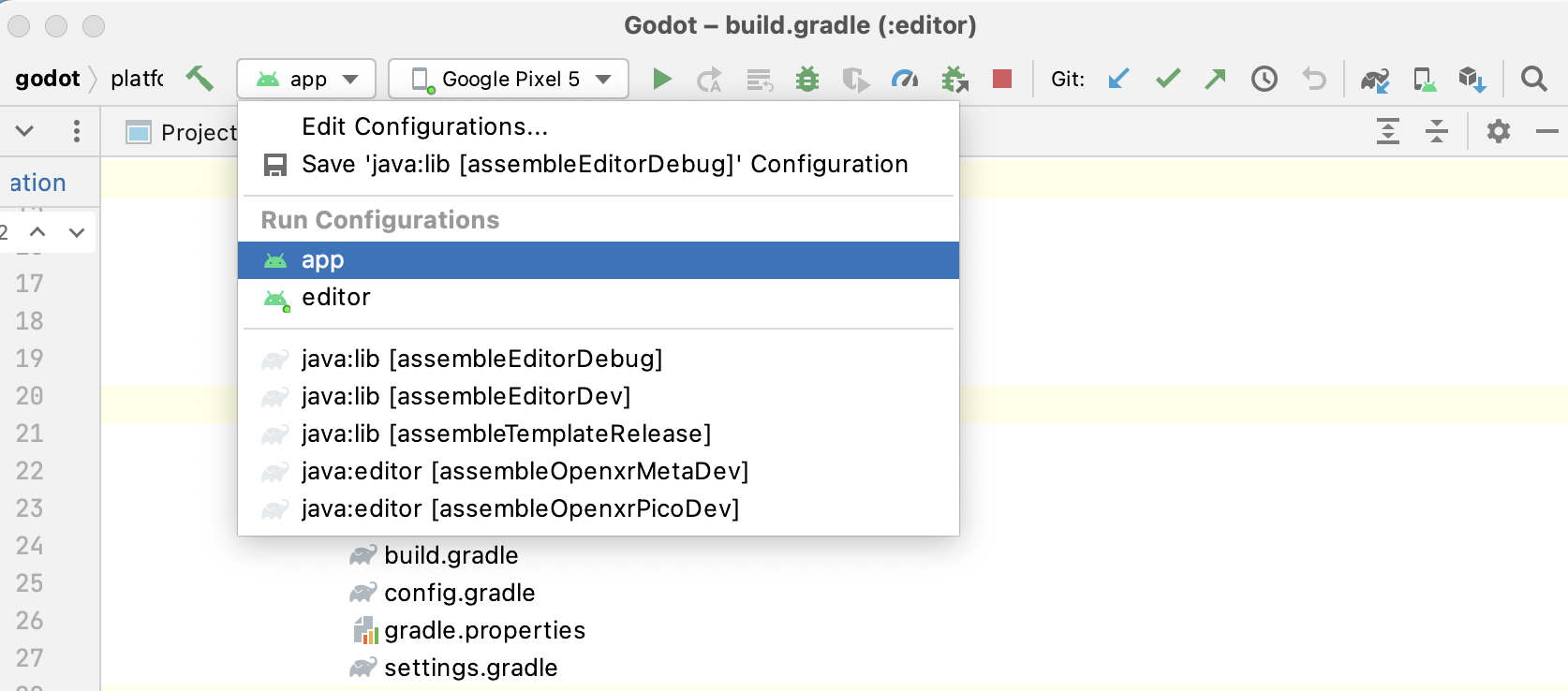
Select Run > Run 'app' from the top menu or click the Run icon.
Pour déboguer le module
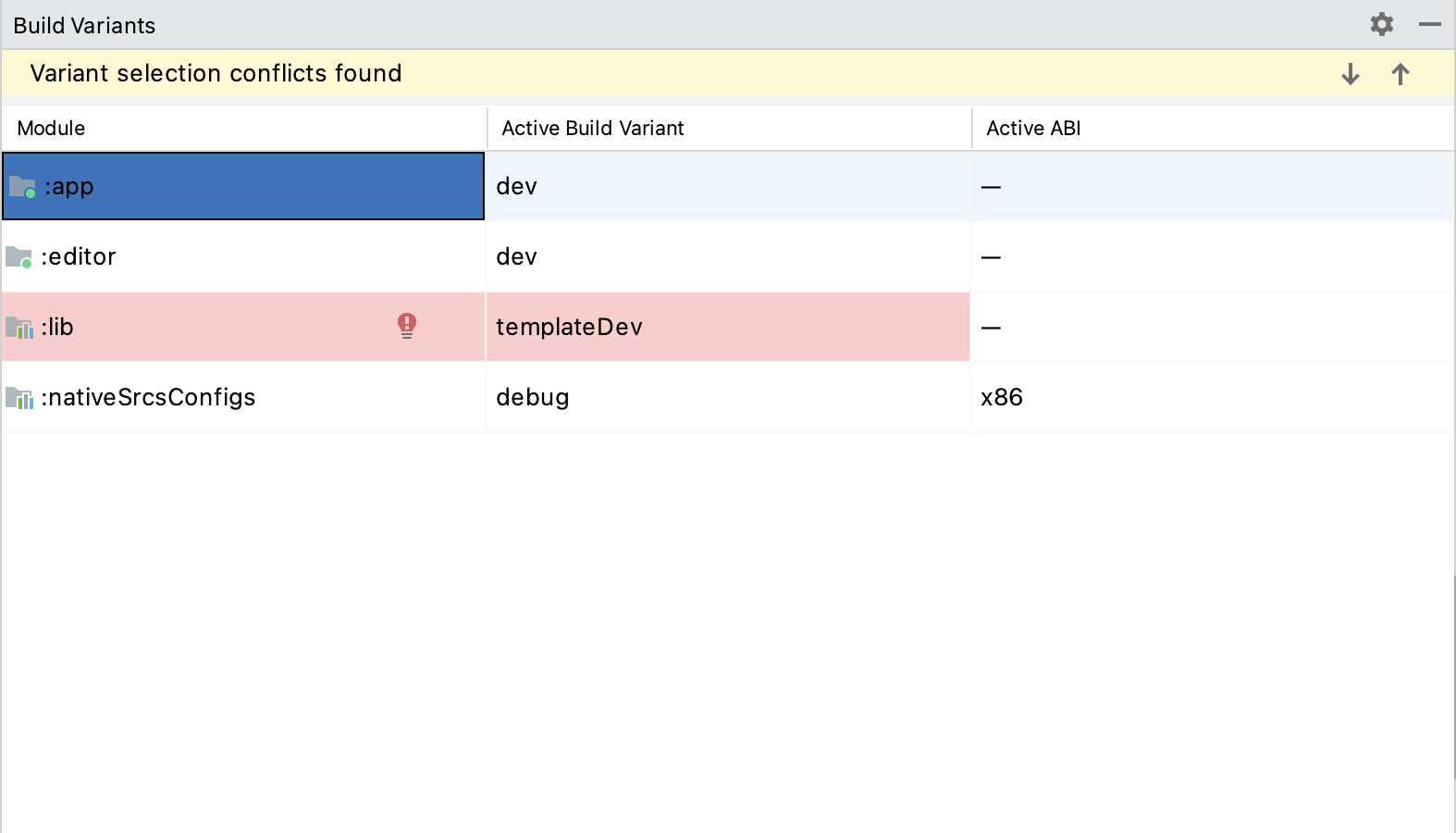
app:Open the Build Variants window using View > Tools Windows > Build Variants from the top menu.
In the Build Variants window, make sure that in the Active Build Variant column, the
:appentry is set to one of the Debug variants.
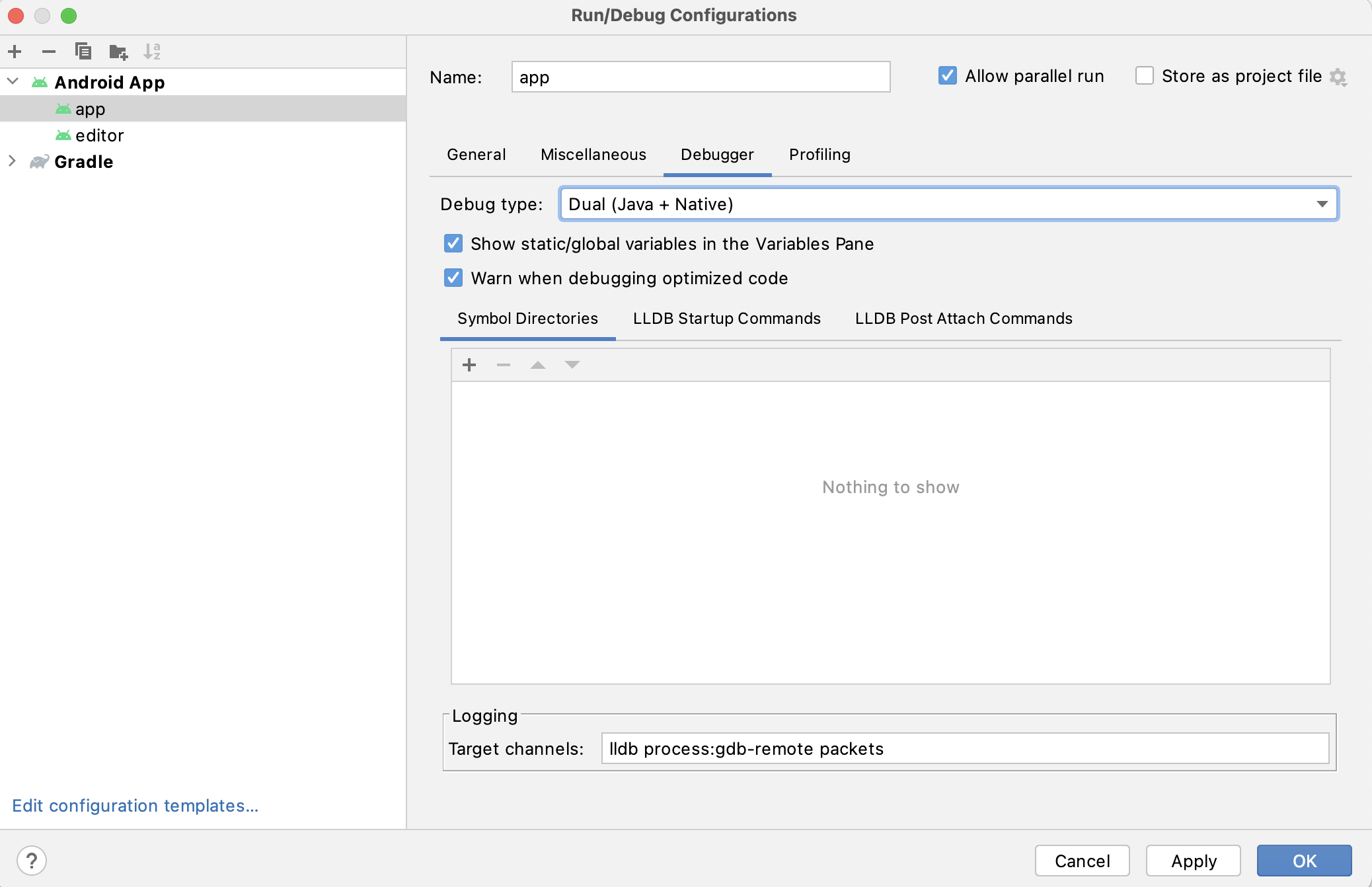
Open the Run/Debug Configurations window by clicking on Run > Edit Configurations... on the top menu.
In the Run/Debug Configurations window, select the
appentry, and under Debugger make sure the Debug Type is set toDual (Java + Native)Click the
+sign under the Symbol Directories section, and add theplatform/android/java/lib/libs/debugdirectory.
Select Run > Debug 'app' from the top menu or click the Debug icon.
If you run into any issues, ask for help in Godot's Android dev channel.